




Your device
Windows
Windows 10 (64-bit) or later
100% private files
Free, no account, on all your devices.
2 h 221 min 30 s*
10 GB sent: through the cloud on 4G, then with GreySpace.
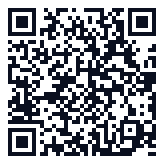
On your phone?
Scan this code with the camera: the App Store opens on iPhone, Google Play on Android.
Windows 10 (64-bit) or later
macOS 12 or later, Apple Silicon and Intel
Android 8.0 or later
iOS 13 or later, iPhone and iPad
Everything happens on the device: no image is recorded or sent. No webcam? A simple tap on Send does exactly the same thing.
For anything else, email us.
Yes. The Free plan is free forever: unlimited receiving, 2 GB of sending per week, full speed, no account. The day you hit 2 GB in a week, the app even gives you 3 unlimited days, no card.
If you send heavy files every day, Pro removes the sending limit: €3.33 a month on the annual plan (€39.99 billed yearly), or €5.99 month to month.
No. Files travel over your local Wi-Fi, or over a hotspot between two devices, and never touch the internet. The Free plan needs no connection at all.
A Pro subscription checks in now and then to confirm it is active, and if it can’t, it keeps working for 14 days without network. With Pro, clipboard everywhere also goes over the internet to reach your devices far away, end-to-end encrypted. Your files never do.
GreySpace is on the App Store, for iPhone and iPad. Get the app, it’s free.
An iPhone without the app can still receive: it scans the QR code shown by GreySpace and the files land in Safari. From that same browser, it can also send you files.
The Free plan has no device limit at all: install it everywhere, no account. A Pro subscription covers up to 5 active devices (your phone, your computer, your tablet, and two more), and you can free up a slot whenever you want to add a new one.